 Apple Calendar
 Apple Reminders
 Travel & preparation
01 / PLAN WITH INTENTION
What matters today.
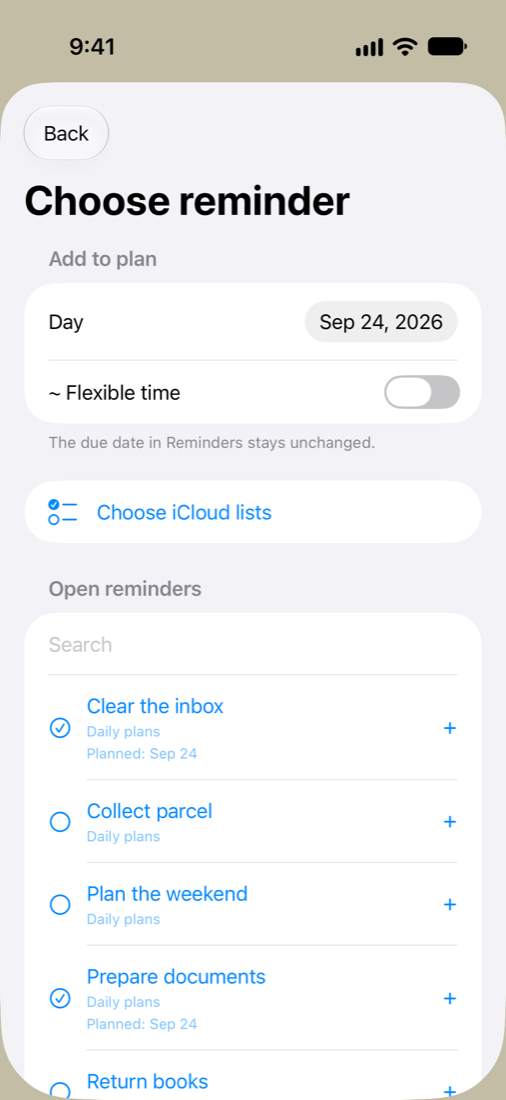
Choose reminders from your iCloud lists and give them a place in your day.
 DayavueDAY PLANNER
Your daily planner for iPhone
Appointments, reminders and the journeys in between.
Dayavue brings your day together, making room for everything along the way.
For iPhone with iOS 17 or later · No extra account
Familiar Apple services.
One daily plan.
More than your next appointment
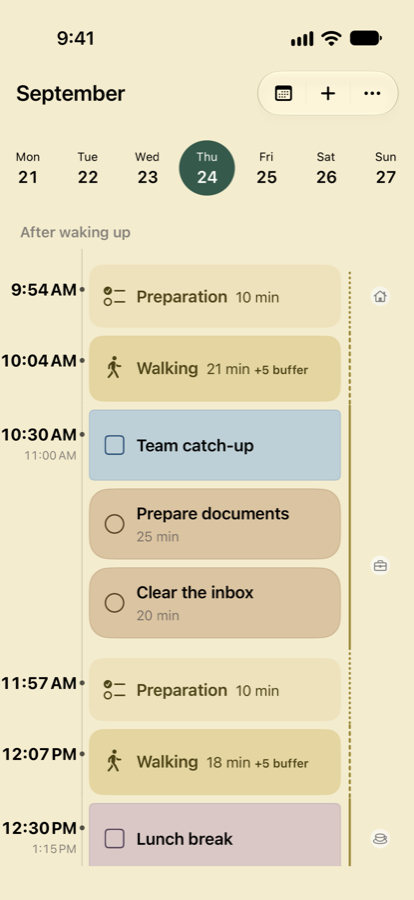
It starts at 10:30. But when do you need to leave? Dayavue makes room for travel, time to get ready and a little buffer.
Try it: how will you get there?
Walking: get ready at 9:54, leave at 10:04.
A simplified demo with fixed example times. In the app, use Apple routes or enter a travel time yourself.
Home
A calmer view of your day
Your familiar entries in one calm view. From your first plan to the end of the day.
Choose reminders from your iCloud lists and give them a place in your day.
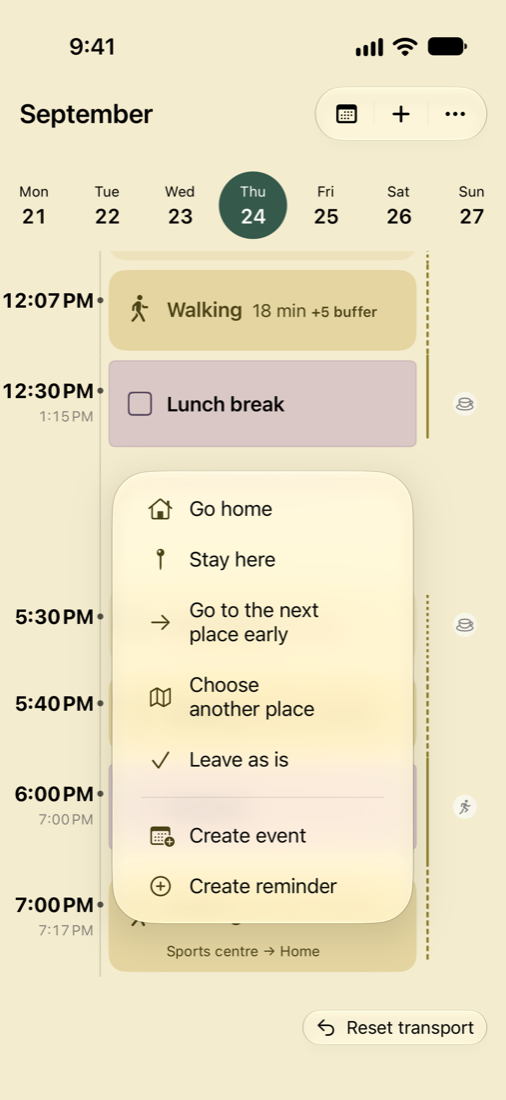
Stay where you are, head home or stop somewhere else? Make the gaps part of your plan.
Close out your day and choose which unfinished reminders to carry forward.
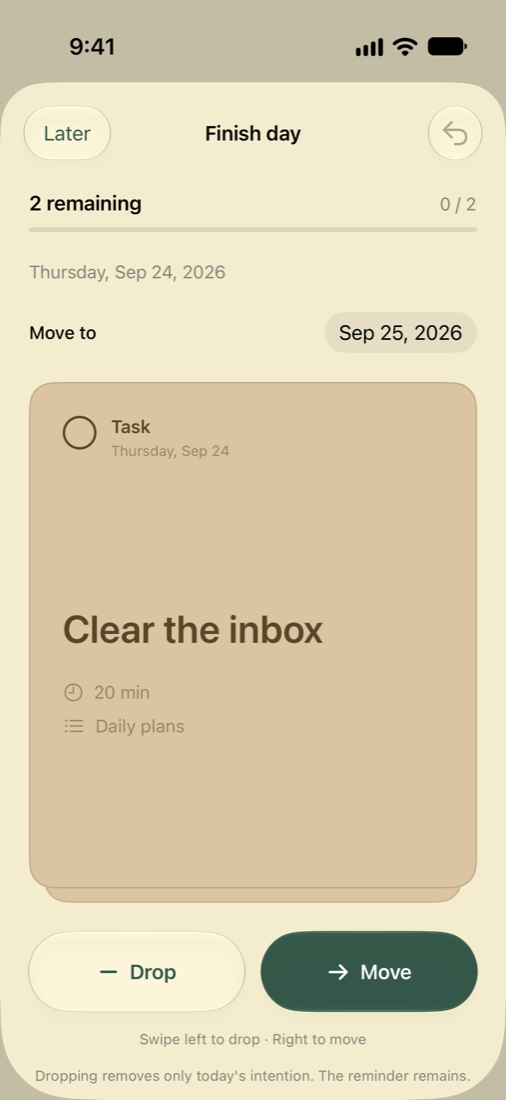
Original app screenshots with example data. Tap any image for a closer look.
Personal stays personal
Dayavue builds on what you already use. No extra account, no ads and no tracking SDKs in the app.
More about privacyA few more details
The first release is for iPhone with iOS 17 or later. The app is available in English and German.
At least one calendar available on your iPhone or an iCloud reminder list. Calendars connect through Apple Calendar; Dayavue uses iCloud to privately sync your planning data. You grant the required permissions during setup. You don’t need a separate Dayavue account.
The interactive preview explains how planning works using fictional data. The screenshots show the real iPhone app. This website does not connect to your personal calendars or reminders.
You can request beta access by email. We’ll reply personally with details about the current beta and how to take part. Sending a request does not automatically guarantee a place.
Dayavue is being prepared for its App Store launch. We’ll share the release date and final price here once they’re confirmed.
A good day starts with a clear view.
Want to try Dayavue on your iPhone?
Get in touch to request beta access.
Opens your email app. You can reach us at
contact@jandeboer.de · Privacy information